The Shorebird Management client portal Everything your website brings in. One login.

When we manage your website, you get our client portal. See every lead and where it came from, who's visiting and what they searched to find you, your bookings, and every request you've sent us. On your computer or your phone.

Included
With every management plan
Computer and phone
Add it to your home screen
Two-step sign-in
With an authenticator app
Made in house
Built and run by Shorebird Management

Inside the portal

See what your website is doing for you.

Nine screens, one login. Here's what you'll use every week.

Dashboard

Your website at a glance

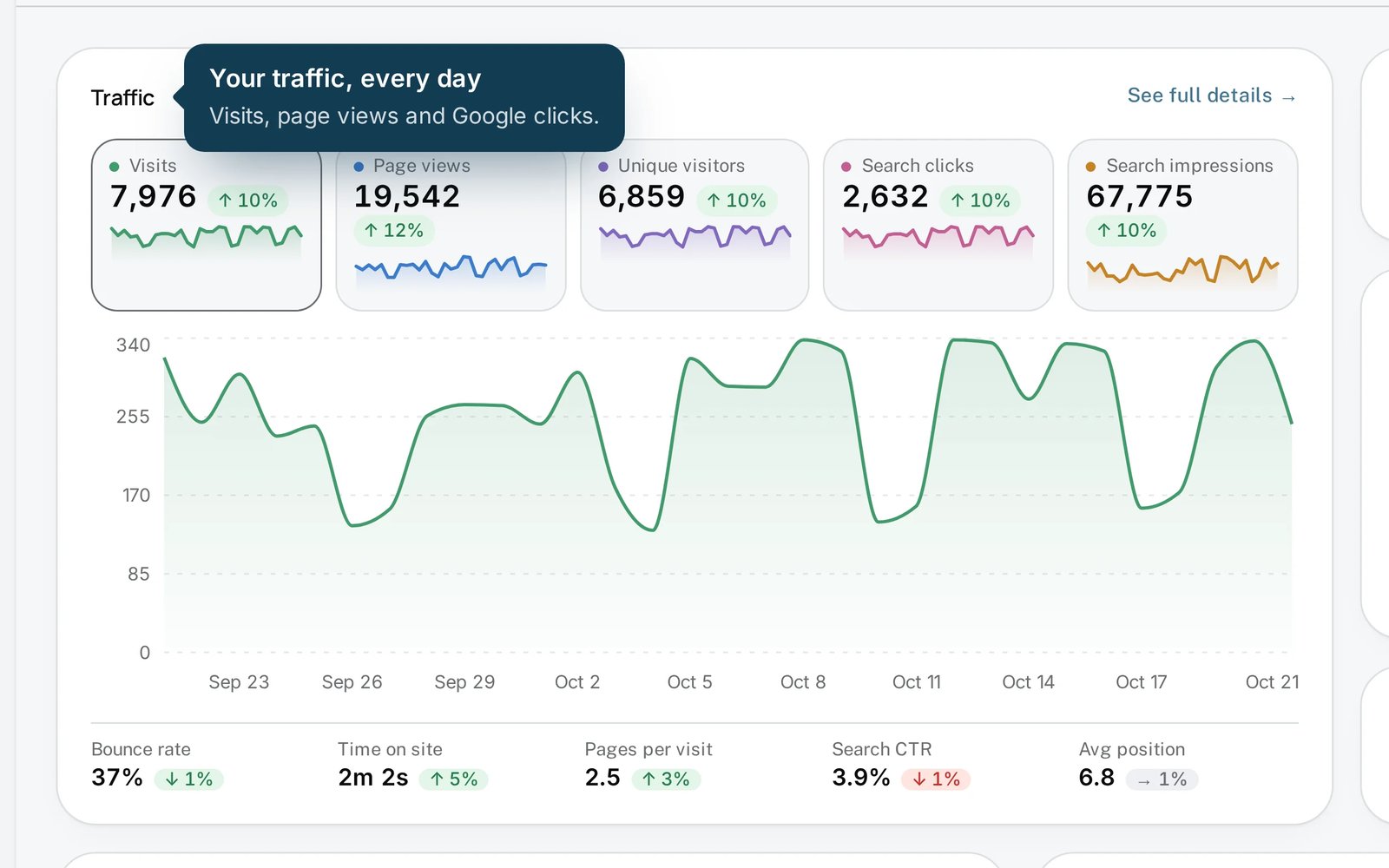
Who's on your site right now, this month's traffic, the Google searches that found you, new leads and upcoming bookings, on one screen.

  • Live visitors and 30-day traffic
  • Leads that still need a reply
  • Choose the dashboard you land on
The client portal dashboard: visits, page views, unique visitors and Google search clicks over 30 days

Leads

Every lead in one inbox

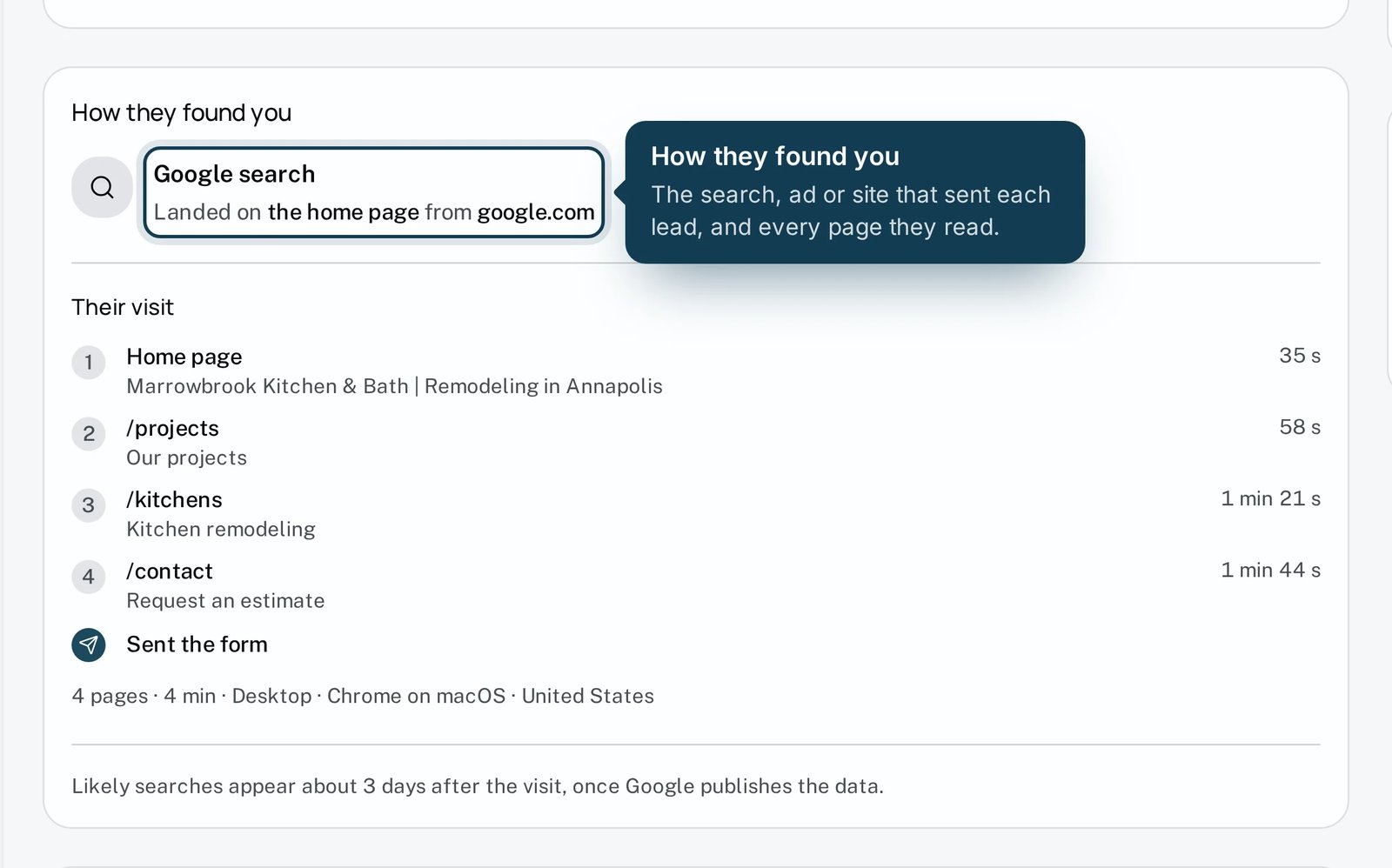
Each form submission arrives with how that person found you: a Google search, a specific ad or a referral. Work it to done without leaving the portal.

  • New, in progress, replied and archived
  • Assign leads and keep private notes
  • Reply from your own address with saved templates
  • See whether your reply was delivered
A kitchen remodel estimate request in the client portal, with the Google search that brought the lead in

Analytics

Analytics you can actually read

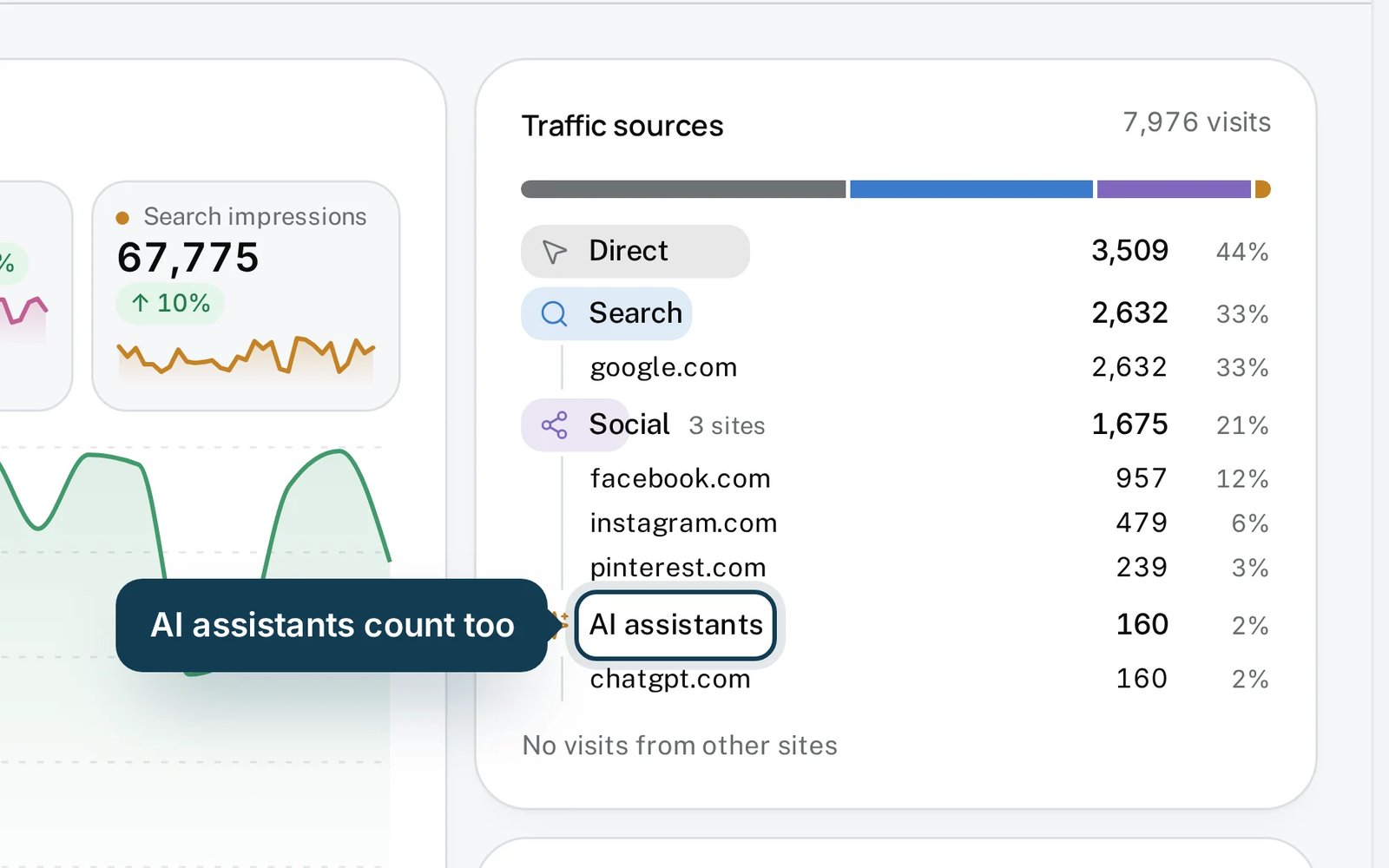
Visitors, top pages and where your traffic comes from, plus the funnels, journeys and heatmaps that show how people move through your site.

  • Traffic, pages, sources and audience
  • Funnels, journeys and heatmaps
  • How much spam Turnstile blocked
Traffic sources in the client portal: direct, Google search, social sites and AI assistants

Search

The Google searches that find you

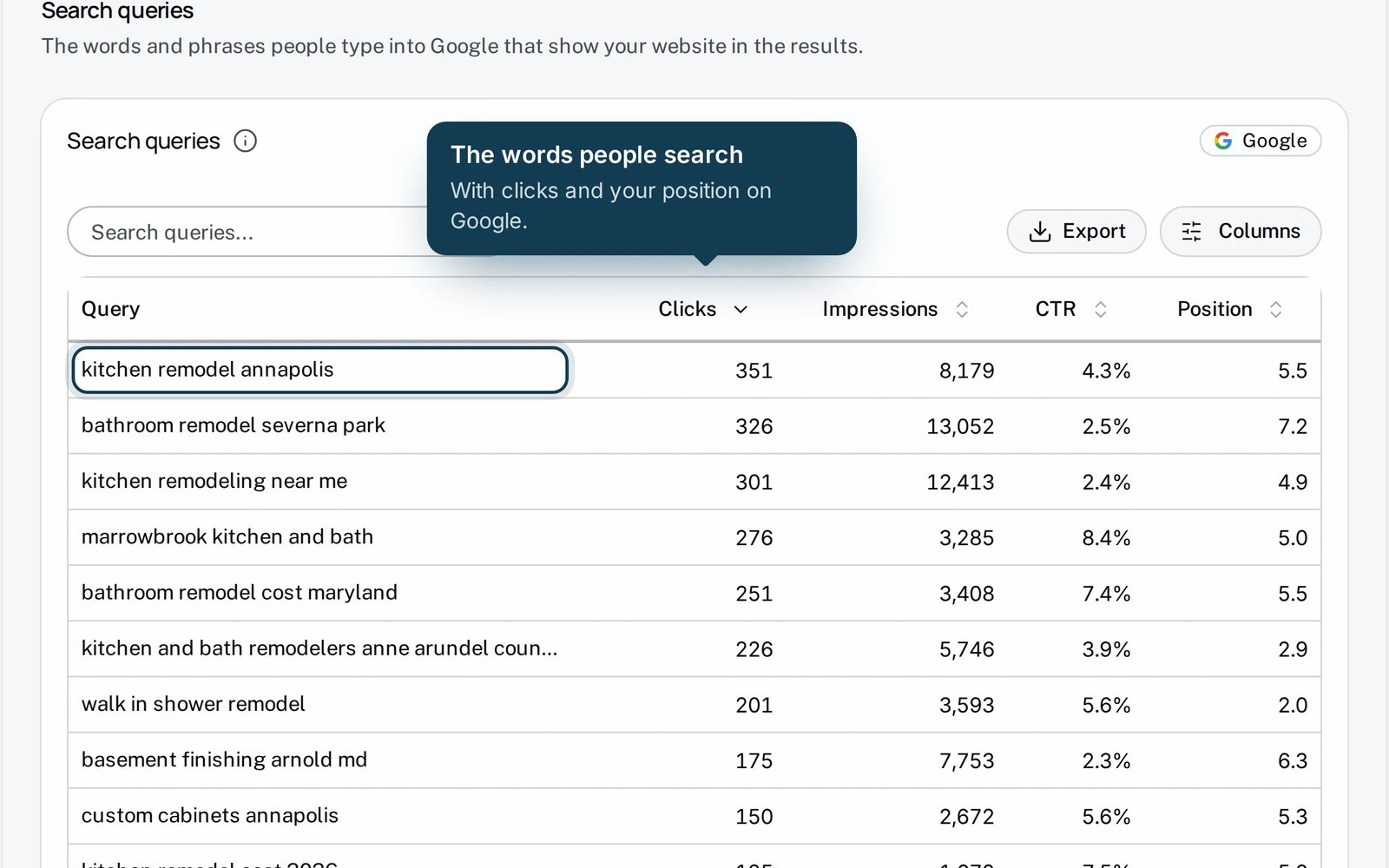
Google Search Console, built in. The searches people type, your clicks, click-through rate and average position, page by page.

  • Queries, pages, clicks and positions
  • Check how Google sees any page
Google search queries in the client portal with clicks, impressions, click-through rate and position

AI visibility

See how AI finds you

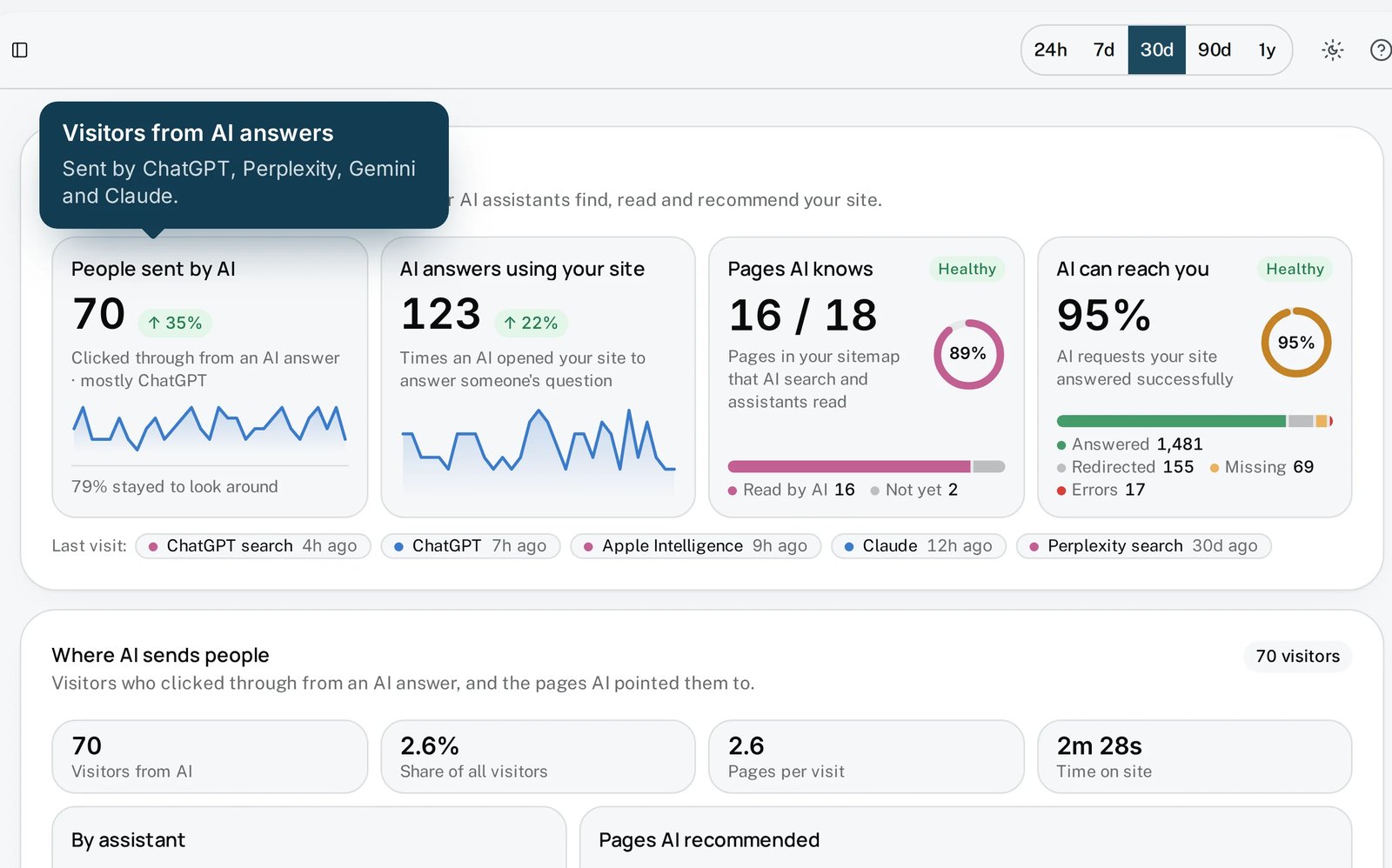
Which AI assistants send you visitors, which AI crawlers read your pages, and how much of your site they've seen.

  • Visitors sent by AI assistants
  • AI crawler visits by platform
  • How much of your sitemap AI has read
AI visibility in the client portal: people sent by AI, AI answers using the site, pages AI knows and AI access

Speed

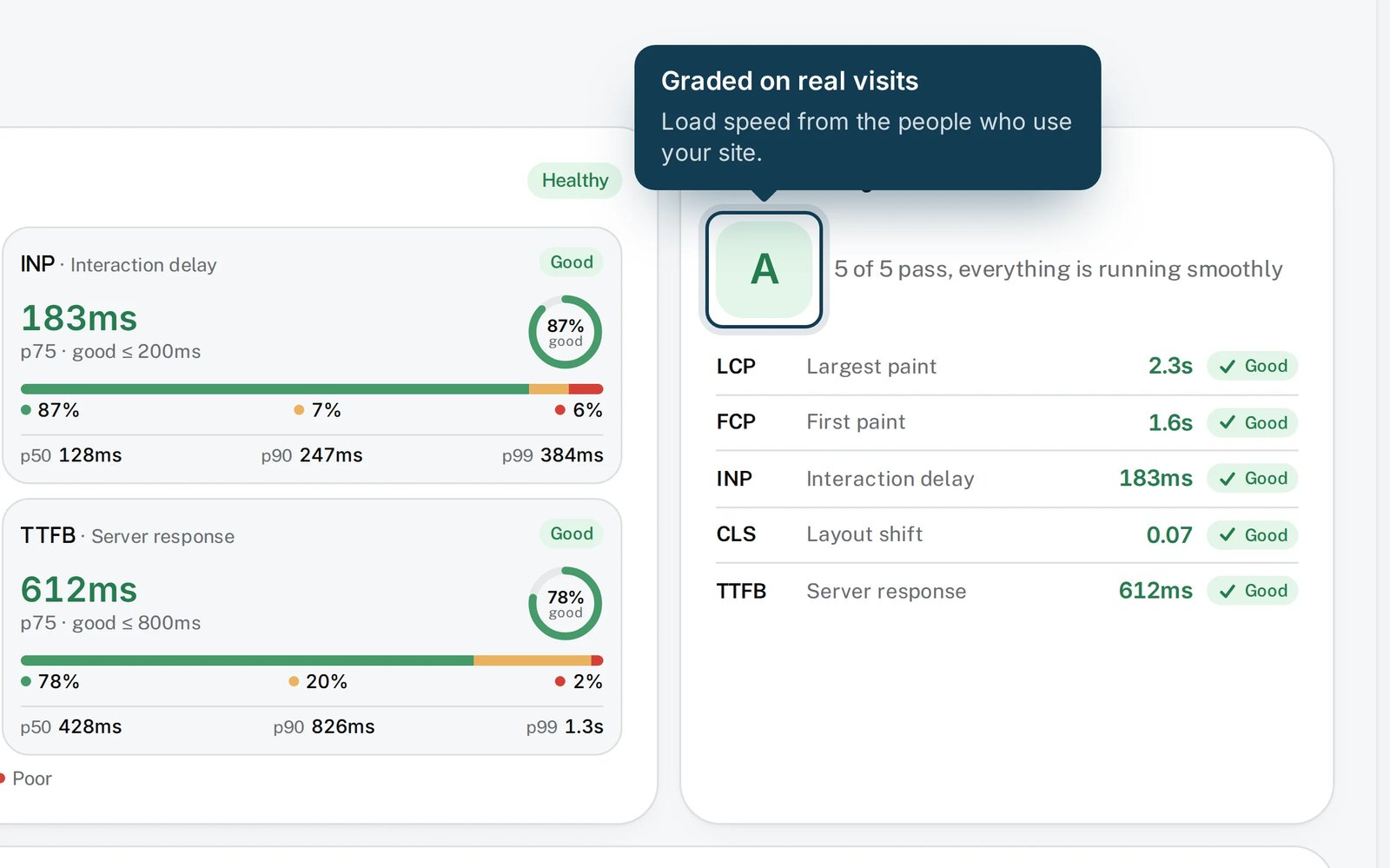
Speed, measured on real visits

Core Web Vitals from your real visitors, how long your pages take to load, and a speed test you can run any time.

  • Core Web Vitals from real visits
  • On-demand speed test
Performance grade A in the client portal, with each Core Web Vital rated Good

Bookings

Bookings and your calendar

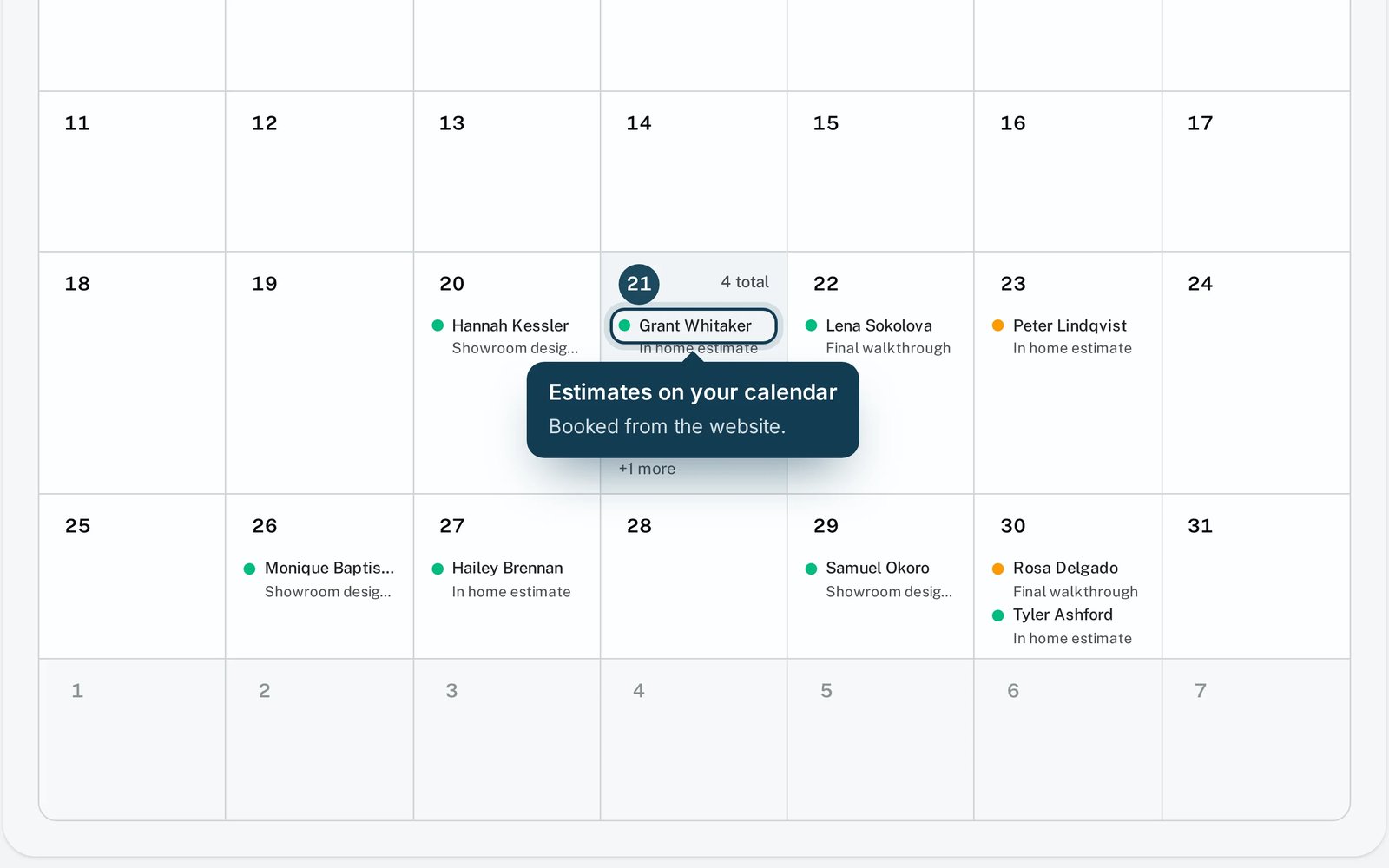
Appointments booked on your website land on your calendar with the details you asked for. Confirm, decline, reschedule or block off dates.

  • Calendar and day views
  • Confirm, reschedule or cancel
  • Block off dates you're closed

On sites that take bookings.

In-home estimates booked from the website on the client portal calendar

Content

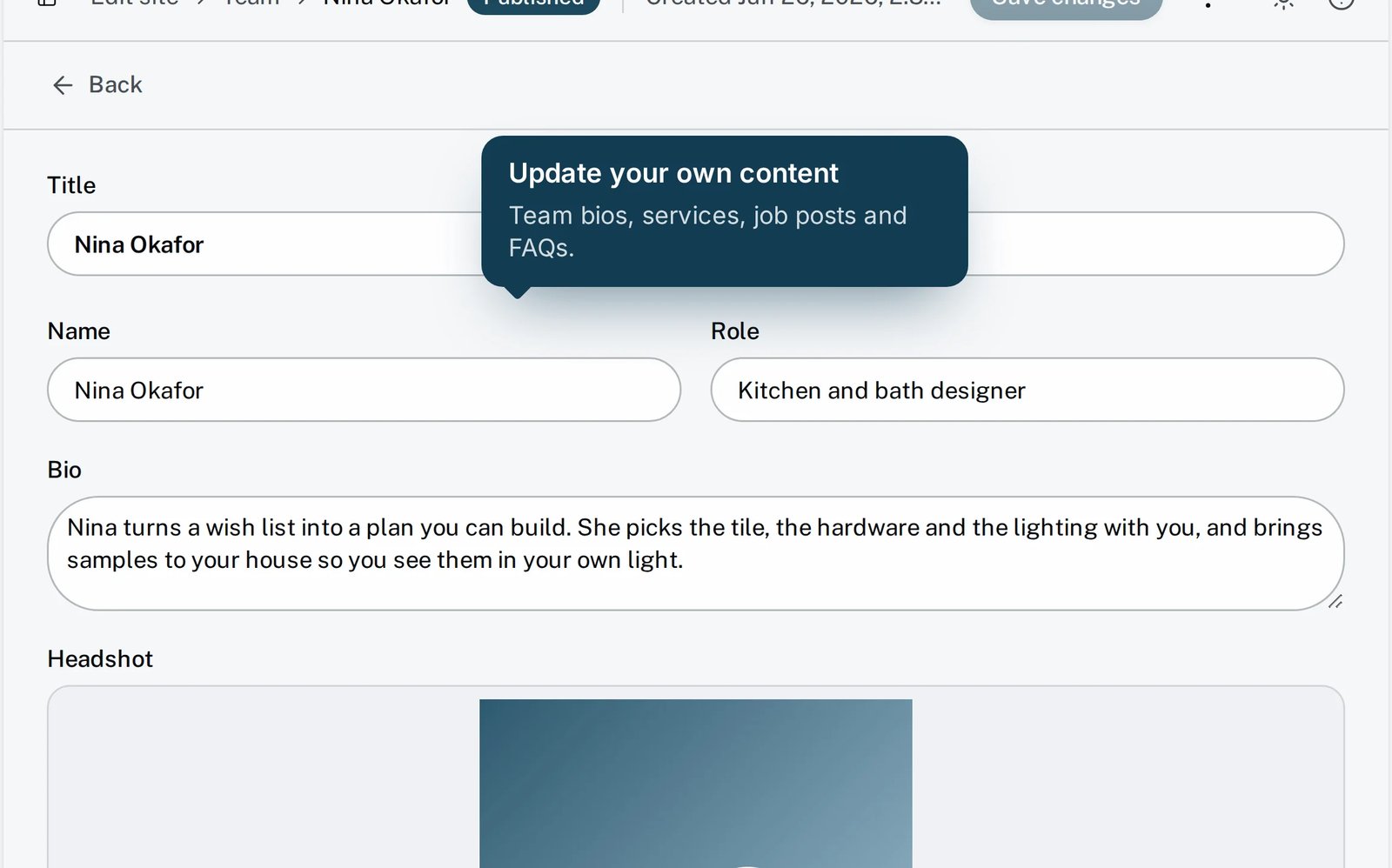
Keep your content current

Update your own content, like team bios, services, projects and job posts. Save a draft, check it, then publish. The design and the copy that matters for search stay with us, so an edit never breaks your layout or your rankings.

  • Drafts, publishing and version history
  • Optional review before changes go live
Editing a team member's name, role and bio in the client portal

Support

Ask us for anything

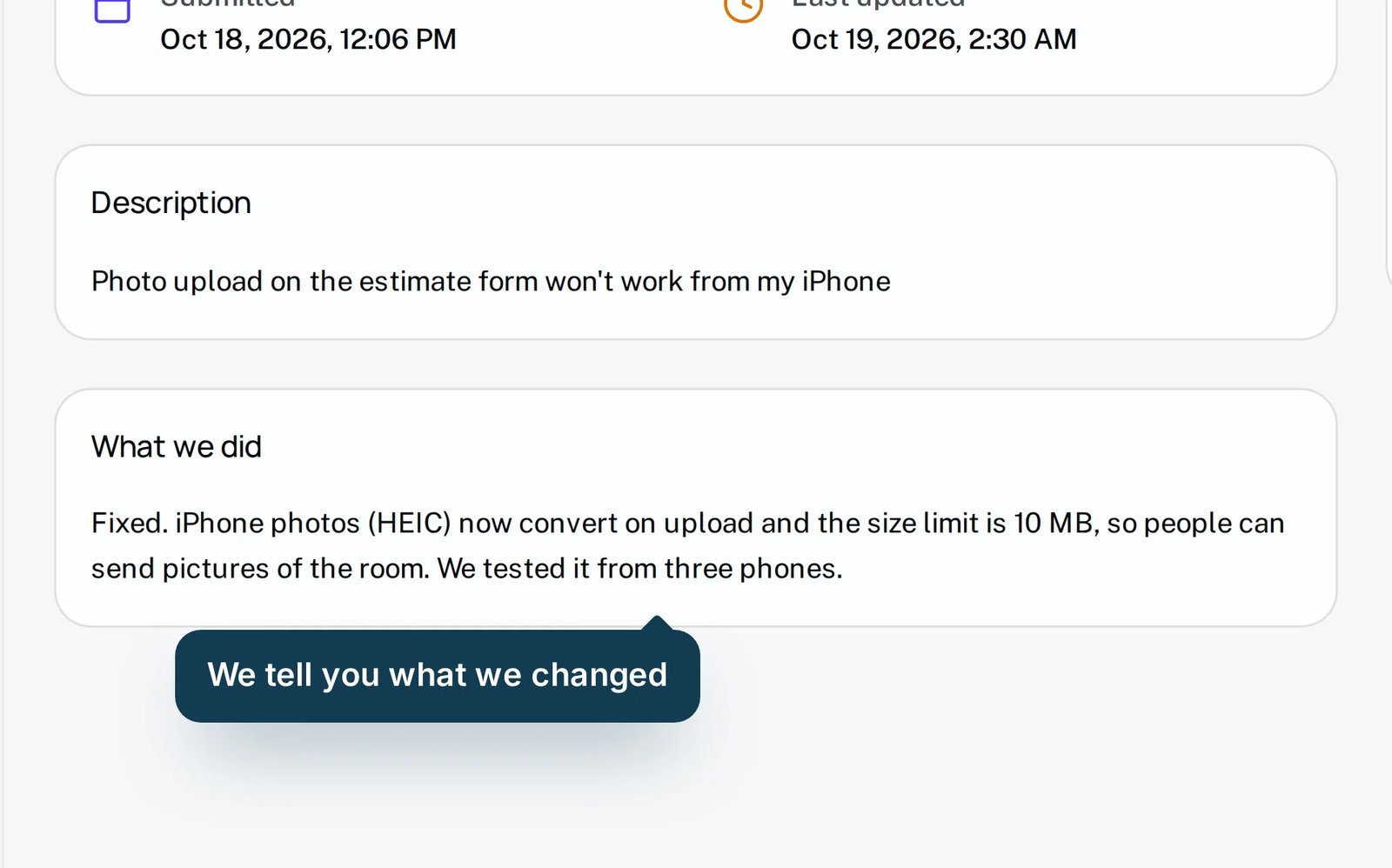
Request a change, report a problem or ask a question, with a screenshot attached. Follow every ticket and see a note of what we did.

  • Change requests, bug reports and questions
  • Status on every ticket
A resolved support ticket in the client portal with a note of what was fixed

Less chasing, more answers.

Without the portal

With the portal

  • Leads scattered across email, voicemail and texts

    One inbox, with where every lead came from

  • An analytics login nobody opens

    Plain numbers on your dashboard

  • Guessing which ad or search worked

    Every lead tied to its ad, search or referral

  • Calling your web person to fix a typo

    Update your own content in minutes

  • Emailing a request and hoping

    A ticket with a status and a note of what we did

On your phone

Your portal, in your pocket.

Add the portal to your phone's home screen and it opens like an app, with a layout made for one thumb. New leads also land in your email the moment they come in.

  • Installs from your phone's browser
  • Bottom tabs for inbox, dashboard and more
  • Email alerts for every new lead
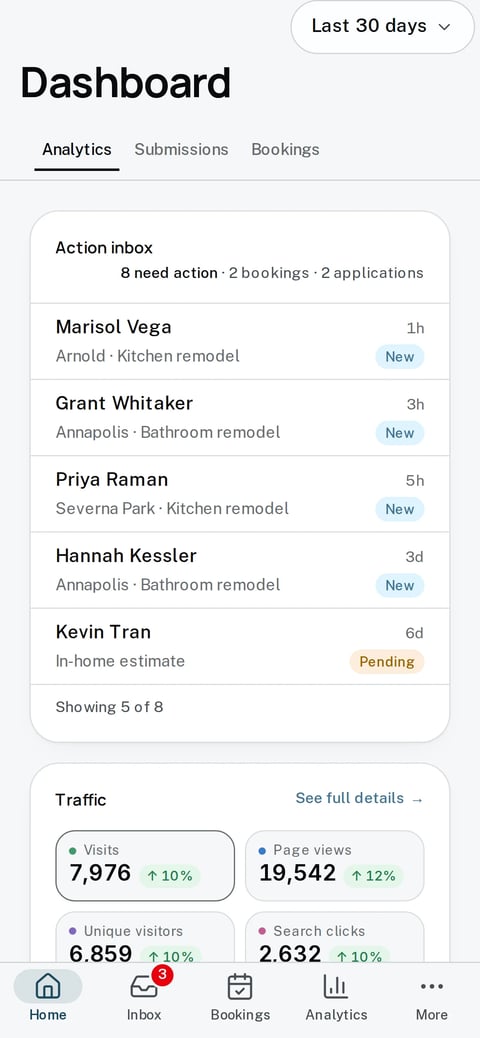
The client portal dashboard on a phone
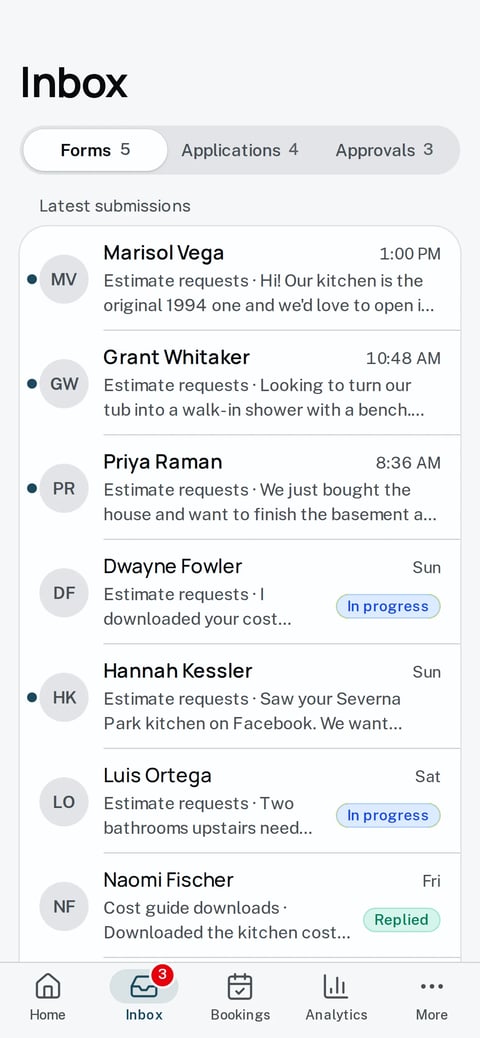
The lead inbox on a phone
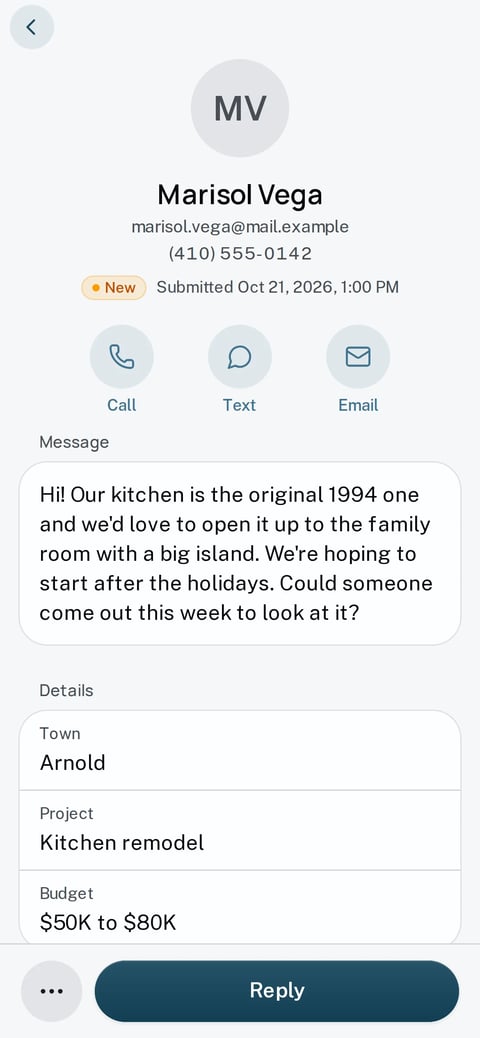
A lead opened on a phone, with call, text and email buttons

Add what you need

Sections for the way your business runs.

Turned on for the businesses that need them.

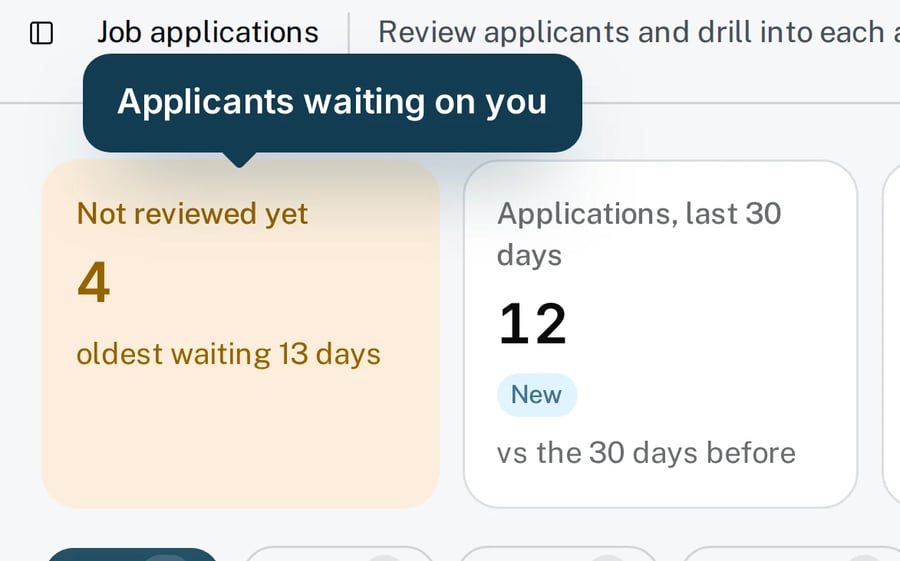
  • Job applications in the client portal: applicants waiting for review

    Job applications

    Every applicant from your careers pages in one list, filtered by job and office, with resumes kept private.

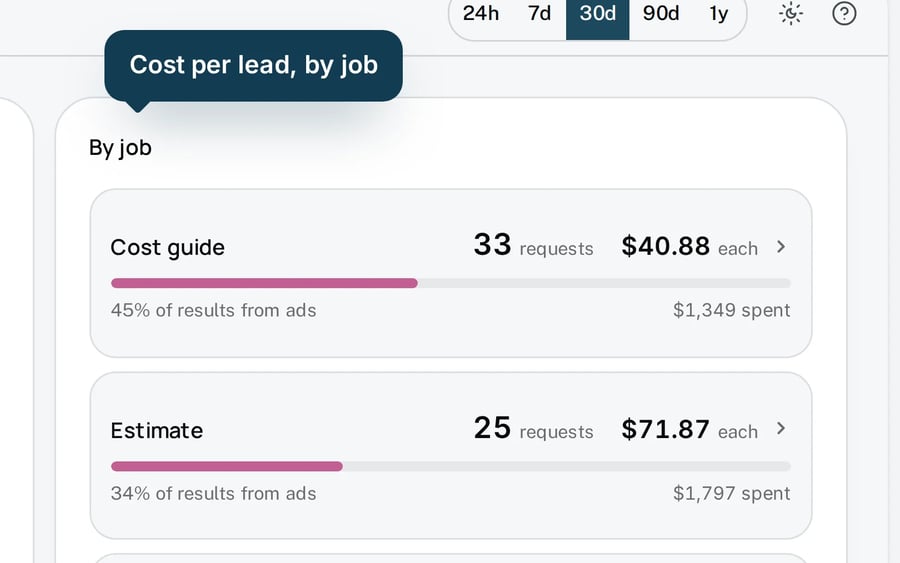
  • Meta ad results by job in the client portal: requests and cost per request

    Meta ads

    Spend, clicks and the leads or applications tied to each Facebook and Instagram campaign.

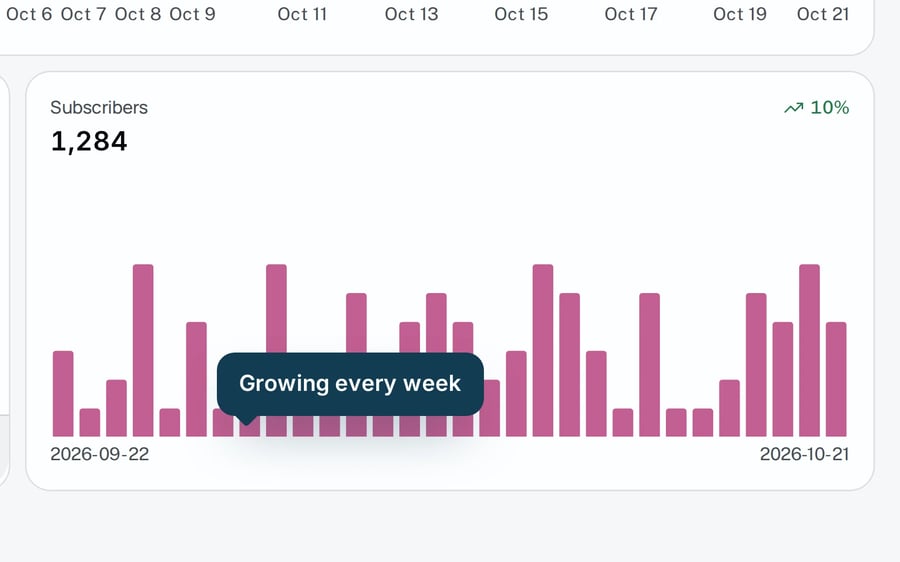
  • Newsletter subscribers in the client portal, growing day by day

    Email newsletter

    Subscribers, growth and campaigns, with a composer to write and send the next one.

Security

Your customers' details, kept safe.

The portal holds your leads and your customers' contact details, so we treat it that way.

  • Two-step verification

    Sign in with a code from an authenticator app.

  • Secure sessions

    Sign-in cookies that scripts on a page can't read or steal.

  • Password changes confirmed

    Confirmed by email, and every device is signed out.

  • Permissions on the server

    Every check is enforced by our servers, not just by hiding buttons.

  • Spam-proof forms

    Cloudflare Turnstile verified on every submission.

  • Audit log

    A record of who changed what.

  • Encrypted connections

    Stored integration keys encrypted, HTTPS enforced everywhere.

  • Privacy-friendly analytics

    Visitors who send Do Not Track or Global Privacy Control are skipped.

Portal questions

Does the portal cost extra?

The portal isn't sold on its own. It comes with each of our three management plans, the monthly plans where we look after your website and its SEO. Some sections, like bookings, job applications, ads and newsletters, depend on what your website does, and we set up the ones that fit your business.

Can I change my website's design in the portal?

No, and that's on purpose. The portal lets you keep your own content current, like team bios, services, projects and job posts. The design and the copy that matters for search stay with us, so nothing you change can break the layout or hurt your rankings. For anything bigger, send a change request from the Support tab.

Who on my team can use it?

Your whole team. Each person gets a role (owner, admin, member or viewer), and you can limit someone to only the leads assigned to them. Tell us who needs access and we'll set them up.

Does it work on my phone?

Yes. It works in any phone browser, and you can add it to your home screen so it opens like an app.

Where do the numbers come from?

Your website's own forms and bookings, privacy-friendly analytics on your site, Google Search Console, Cloudflare and, if we run your ads, Meta. We connect everything; there's nothing for you to set up.

Can I use the portal with a website someone else built?

The portal is made for the websites we build, which is why it can show so much. If your site was built elsewhere, start with the free audit and we'll tell you what moving over to a website with us would involve.

See all questions

Ready to talk?

Book your free consultation

Pick an open weekday below for a 30-minute call with no obligation, or call us at (410) 533-6889.

November 2026
Available Selected Fully booked

Free 30-minute call

We'll talk through your site, your goals and what it would take.

Date

Pick a date on the calendar

Book a call

Not ready to talk yet?

Get a free website audit

Score your site on getting found, speed, trust and calls in about 20 seconds.

Shorebird Management

Web design, SEO and marketing for Maryland businesses and clients across the U.S. Based on Kent Island. Every site custom-designed for the business behind it.

Shorebird Management · Kent Island, MD
(410) 533-6889 · sales@shorebirdmanagement.com

Areas we serve: Annapolis · Kent Island · Ocean City

© 2026 Shorebird Management. All rights reserved.

Get a free website audit

See how your site scores on getting found, speed, trust and turning visitors into calls. Free, about 20 seconds.